Syed Ahmer ShahSyed Ahmer ShahSyed Ahmer ShahSyed Ahmer ShahSyed Ahmer Shah — home
● MenuAHMERAHMER
20+Certificates
PHPMERNMySQLSEO

Explore

01About→02Education→03Certificates→04Skills→05Projects→06Services→07Testimonials→08Contact→

Pages

01Blog→02Saved articles→03Privacy Policy→04Terms of Service→
Interface sound
Hire me →

Available for new work · --:--:-- PKT

Have an idea?

support@ahmershah.dev
Book a call WhatsApp +92 370 4831994

On this site

  • 01About
  • 02Education
  • 03Certificates
  • 04Skills
  • 05Projects
  • 06Services
  • 07Testimonials
  • 08Contact

Pages

  • Blog
  • Saved articles
  • RSS
  • Privacy Policy
  • Terms of Service
  • llms.txt

Elsewhere · official profiles

26 links

Professional

Work history, code and credentials.

  • in/syedahmershah
  • company/syedahmershah
  • @ahmershahdev
  • syed-ahmer-shah
  • syed-ahmer-shah
  • u/syedahmershah
  • @syedahmershah
  • AWS@syedahmershah

Coding & credentials

Problem solving, verified badges.

  • u/syedahmershah
  • syedahmershah
  • users/syedahmershah
  • learner/syedahmershah

Google & business

The official listings.

  • Google Business Profileg.page
  • Syed Ahmer Shah
  • syedahmershah
  • Beaconssyedahmershah
  • syedahmershah

Social (@ahmershahdev)

Build logs, clips, threads.

  • @ahmershahdev
  • @ahmershahdev
  • @ahmershahdev
  • ahmershahdev
  • @ahmershahdev
  • @bluesky.ahmershah.dev
  • ahmershahdev

Design

Interfaces and visuals.

  • syedahmershah
  • syedahmershah

Direct

  • support@ahmershah.dev

    Support & projects

  • syedahmershahofficial@gmail.com

    Personal

  • +92 370 4831994

    Phone · WhatsApp

  • Hyderabad, Sindh, Pakistan

    Remote-first · Asia/Karachi (UTC+5)

Résumé ↗
SYED AHMER SHAH

© 2026 Syed Ahmer Shah. All rights reserved.

PrivacyTermsRSS
Syed Ahmer ShahSyed Ahmer ShahSyed Ahmer ShahSyed Ahmer ShahSyed Ahmer Shah — home
● MenuAHMERAHMER
20+Certificates
PHPMERNMySQLSEO

Explore

01About→02Education→03Certificates→04Skills→05Projects→06Services→07Testimonials→08Contact→

Pages

01Blog→02Saved articles→03Privacy Policy→04Terms of Service→
Interface sound
Hire me →

Available for new work · --:--:-- PKT

Have an idea?

support@ahmershah.dev
Book a call WhatsApp +92 370 4831994

On this site

  • 01About
  • 02Education
  • 03Certificates
  • 04Skills
  • 05Projects
  • 06Services
  • 07Testimonials
  • 08Contact

Pages

  • Blog
  • Saved articles
  • RSS
  • Privacy Policy
  • Terms of Service
  • llms.txt

Elsewhere · official profiles

26 links

Professional

Work history, code and credentials.

  • in/syedahmershah
  • company/syedahmershah
  • @ahmershahdev
  • syed-ahmer-shah
  • syed-ahmer-shah
  • u/syedahmershah
  • @syedahmershah
  • AWS@syedahmershah

Coding & credentials

Problem solving, verified badges.

  • u/syedahmershah
  • syedahmershah
  • users/syedahmershah
  • learner/syedahmershah

Google & business

The official listings.

  • Google Business Profileg.page
  • Syed Ahmer Shah
  • syedahmershah
  • Beaconssyedahmershah
  • syedahmershah

Social (@ahmershahdev)

Build logs, clips, threads.

  • @ahmershahdev
  • @ahmershahdev
  • @ahmershahdev
  • ahmershahdev
  • @ahmershahdev
  • @bluesky.ahmershah.dev
  • ahmershahdev

Design

Interfaces and visuals.

  • syedahmershah
  • syedahmershah

Direct

  • support@ahmershah.dev

    Support & projects

  • syedahmershahofficial@gmail.com

    Personal

  • +92 370 4831994

    Phone · WhatsApp

  • Hyderabad, Sindh, Pakistan

    Remote-first · Asia/Karachi (UTC+5)

Résumé ↗
SYED AHMER SHAH

© 2026 Syed Ahmer Shah. All rights reserved.

PrivacyTermsRSS
Syed Ahmer ShahSyed Ahmer ShahSyed Ahmer ShahSyed Ahmer ShahSyed Ahmer Shah — home
● MenuAHMERAHMER
20+Certificates
PHPMERNMySQLSEO

Explore

01About→02Education→03Certificates→04Skills→05Projects→06Services→07Testimonials→08Contact→

Pages

01Blog→02Saved articles→03Privacy Policy→04Terms of Service→
Interface sound
Hire me →
← Engineering Logs

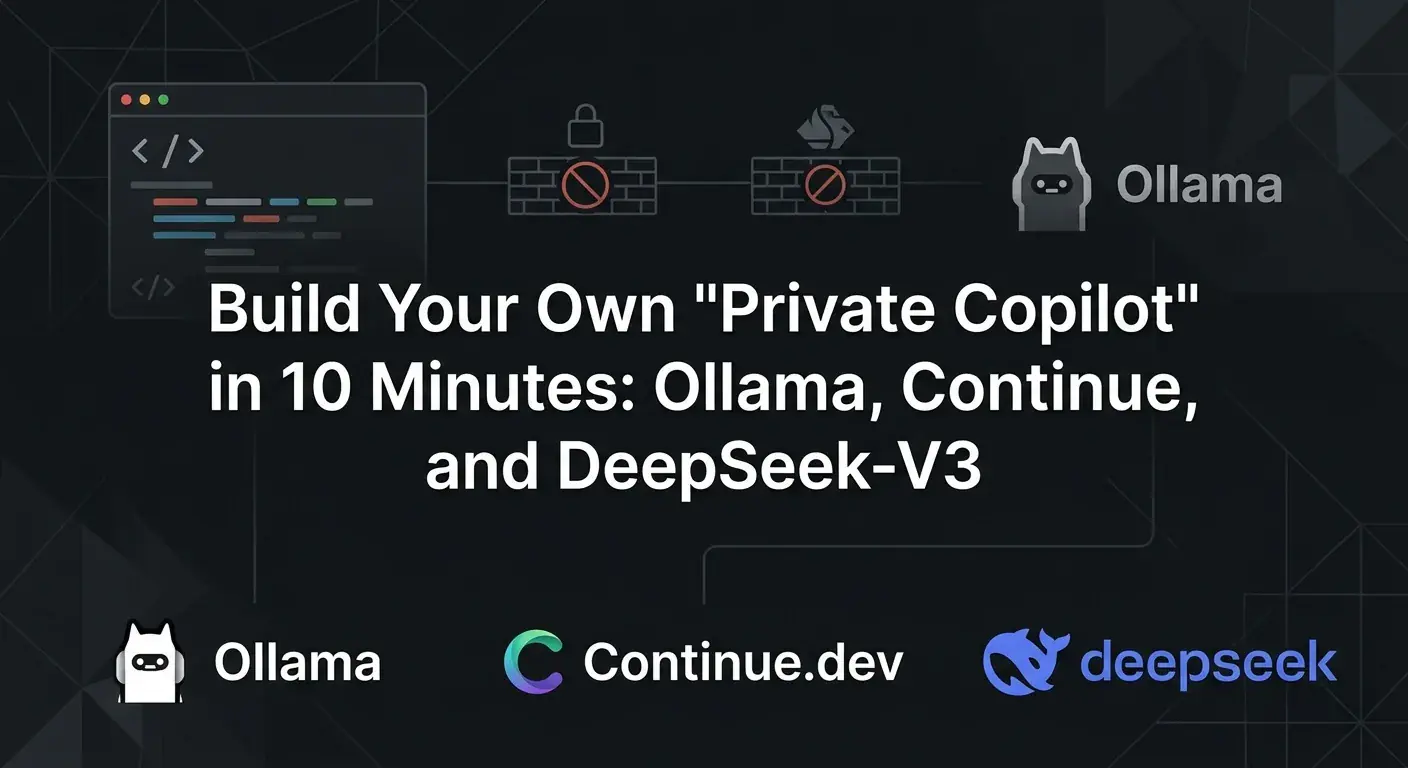
Build Your Own "Private Copilot" in 10 Minutes: Ollama, Continue, and DeepSeek-V3

Written by

Syed Ahmer Shah

Software Engineer

Apr 12, 2026Updated May 8, 20269 min read1,089 wordsOriginally on DEV—reading now▼
Read this articlevoice
Markdown

You are paying $20 a month for GitHub Copilot. In our local economy, that is almost 6,000 PKR every single month. You are paying this "cloud tax" for a tool that lags the second your internet connection drops, goes offline when Microsoft has a server outage, and silently feeds your proprietary code into corporate training clusters.

If you want long-term freedom and leverage as a developer in 2026, you need to stop renting your tools and start owning them.

The era of relying exclusively on cloud-based AI is ending for serious engineers. The hardware has caught up. You can now run state-of-the-art models entirely offline, directly on your machine, with zero latency and absolute privacy.

This is not a theoretical concept. This is a practical, 10-minute setup that will replace your Copilot subscription today. We are going to use Ollama as the local engine, the Continue extension for VS Code, and a highly optimized DeepSeek model as the brain.

Here is the exact blueprint. No excuses. Let's build it.


#The Architecture of a Local Copilot

To understand what we are building, you need to understand the three layers of an AI coding assistant:

  1. The Inference Engine (Ollama): This is the software that loads the AI model into your computer's RAM/VRAM and serves it locally as an API.

  2. The Brain (DeepSeek): This is the actual language model trained on code.

  3. The Interface (Continue.dev): This is the VS Code extension that replaces the standard Copilot sidebar and autocomplete engine, redirecting the requests to your local Ollama server instead of the cloud.
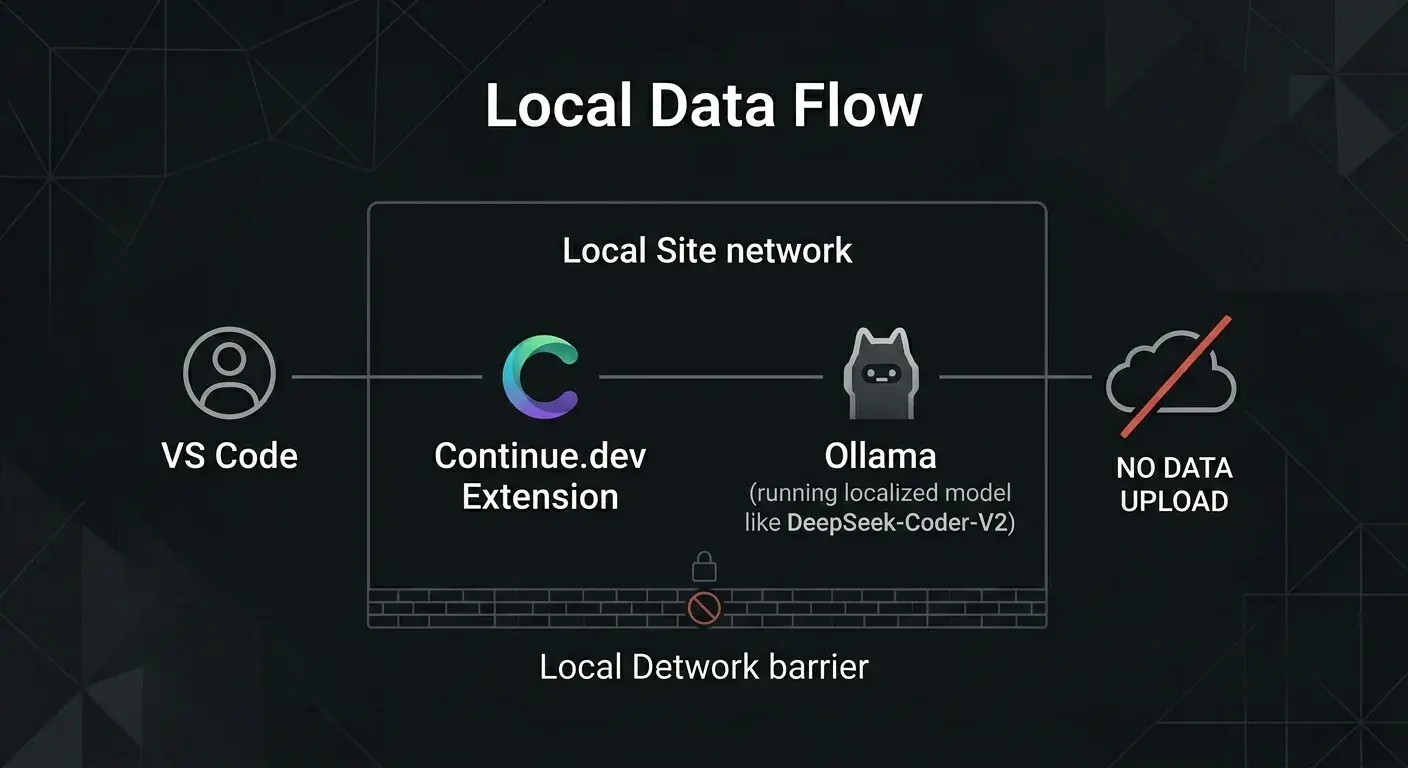

Image description
Image description

#Step 1: Install the Engine (Ollama)

Ollama is the standard for local LLM execution. It handles all the complex GPU acceleration and memory management silently in the background.

If you are on macOS or Windows, download the installer from the official site: ollama.com.

If you are on a Linux distribution or WSL, open your terminal and run:

bash
curl -fsSL https://ollama.com/install.sh | sh

Once installed, verify the daemon is running:

bash
ollama --version

You should see the current version output. That is your local server ready to accept models.


#Step 2: Pull the Brain (DeepSeek Reality Check)

Let us address a hard technical truth right now: You are not going to run the full, uncompressed DeepSeek-V3 on a standard laptop. The full V3 is a massive Mixture-of-Experts model that requires serious server-grade clusters.

If you see tutorials claiming you can run the full V3 on 8GB of RAM, they are lying for clicks.

However, we do not need the massive generalized model. We need the highly distilled, quantized coding variants. For local machines with 16GB to 32GB of RAM, you want the DeepSeek-Coder series or the distilled V3 lightweight versions.

Open your terminal and pull the model:

bash
ollama run deepseek-coder-v2

The download will take a few minutes depending on your connection. Once it finishes, you will be dropped into a local chat prompt. Test it by asking it to write a simple Python script.

Notice the speed. Notice that your Wi-Fi could be disconnected right now and it would still work.

Type /bye to exit. The model is now cached on your machine.


#Step 3: Install the Interface (Continue)

We have the engine and the brain. Now we need it inside our editor.

  1. Open VS Code

  2. Go to the Extensions marketplace

  3. Search for "Continue" (publisher: Continue)

  4. Install it

Continue is an open-source AI code assistant. It gives you the familiar chat sidebar and inline autocomplete, but unlike proprietary tools, it lets you choose your API endpoint.


#Step 4: The Configuration

By default, Continue might try to connect to free cloud APIs. We need to route it entirely to your local Ollama instance.

Click the gear icon in the bottom right of the Continue sidebar to open the config.json file. Replace the models and tabAutocompleteModel sections with the following:

json
{
  "models": [
    {
      "title": "Local DeepSeek Coder",
      "provider": "ollama",
      "model": "deepseek-coder-v2",
      "apiBase": "http://127.0.0.1:11434"
    }
  ],
  "tabAutocompleteModel": {
    "title": "DeepSeek Autocomplete",
    "provider": "ollama",
    "model": "deepseek-coder-v2",
    "apiBase": "http://127.0.0.1:11434"
  },
  "allowAnonymousTelemetry": false
}

Save the file.

Look at what you just did. apiBase is pointing to your localhost. allowAnonymousTelemetry is false. Your code does not leave your machine. You have successfully air-gapped your development environment.


#The Workflow in Practice

Restart VS Code to ensure the daemon connects properly.

Open a complex project file. Start typing a function. You will see the ghost text appear just like it did with GitHub Copilot. Press Tab to accept it.

Highlight a block of code, press Cmd/Ctrl + L to send it to the Continue sidebar, and tell it:

"Refactor this database query to prevent SQL injection."

The local model will read the context, stream the explanation, and offer a unified diff you can accept with one click.
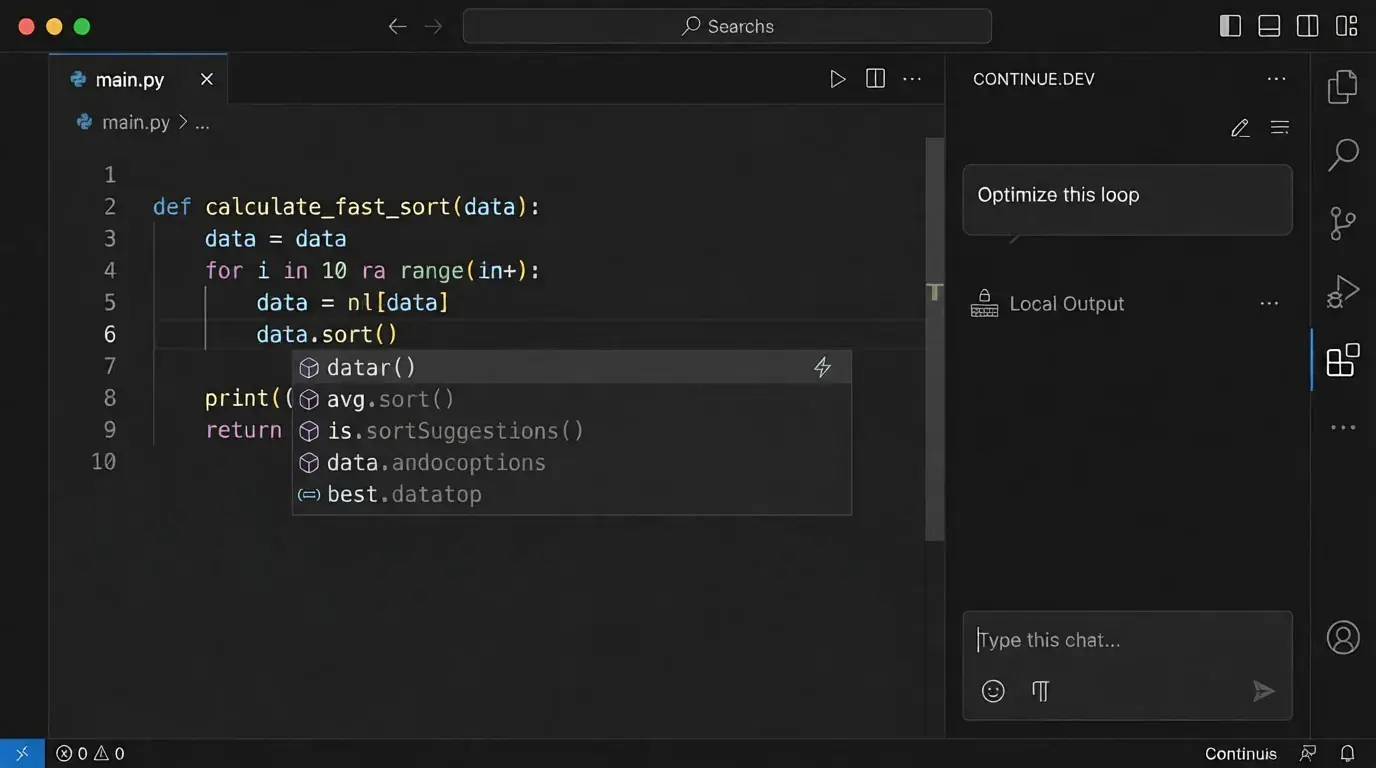
Image description
Image description


#The Hard Truth About Local AI

I will not sugarcoat this. Running models locally is a trade-off.

You are trading cloud dependency for hardware utilization. When the model is generating code, your fans will spin up. It will consume battery power. If you are running 8GB of RAM, it will be slow — you will need to pull an even smaller model like qwen2.5-coder:1.5b.

But consider the upside:

  • ✅ You have completely removed a monthly financial drain

  • ✅ You can take on freelance work with strict NDAs — you can legally guarantee their source code is never transmitted to third-party AI servers

  • ✅ You have removed the latency of web requests

  • ✅ You understand how AI orchestration actually works at the infrastructure level

Development is about building systems and understanding architecture, not just memorizing syntax. By setting this up, you have taken a step toward owning your tools.

Stop relying on black-box subscriptions. Build your own tools, keep your focus sharp, and get back to work.
Originally published

This article first appeared on DEV. That copy is the canonical one; this is the same piece, kept on my own site.

Also onHashnode ↗

Find me across the web.

Same person, every platform

Work & code

  • ASPortfolioahmershah.dev
  • LinkedInin/syedahmershah
  • GitHub@ahmershahdev
  • AWSAWS Builder Center@syedahmershah
  • Crunchbasesyed-ahmer-shah
  • LinkedIn · Companycompany/syedahmershah

Writing

  • Dev.tosyedahmershah
  • Medium@syedahmershah
  • Hashnode@syedahmershah
  • Substack@syedahmershah
  • HackerNoonu/syedahmershah
  • CLCoderLegionuser/syedahmershah

Reviews & listings

  • Google Knowledge PanelSyed Ahmer Shah
  • Google Business Profileg.page
  • ClClutch
  • TpTrustpilot
  • DRDesignRush
  • TBTechBehemoths

Social

  • YouTube@ahmershahdev
  • Instagram@ahmershahdev
  • TikTok@ahmershahdev
  • Facebookahmershahdev
  • X@ahmershahdev
#claudeai#chatgpt#ai#coding#ahmershahdev#syedahmershah
ShareXLinkedInRedditWhatsApp

← Older

The Enemy in Your Terminal: Why OpenClaw was the Perfect Trojan Horse

Newer →

Your $20/mo AI Wrapper is Dead: Why OpenClaw is Making 60% of SaaS Tools Obsolete

On this page

  • The Architecture of a Local Copilot
  • Step 1: Install the Engine (Ollama)
  • Step 2: Pull the Brain (DeepSeek Reality Check)
  • Step 3: Install the Interface (Continue)
  • Step 4: The Configuration
  • The Workflow in Practice
  • The Hard Truth About Local AI

Up next

Keep reading.

All 44 articles→
  1. 01

    The Art of Object-Oriented Programming

    Learn object-oriented programming through classes, objects, encapsulation, inheritance, polymorphism, composition, and practical design principles.

    Sep 17, 202611 minThe Engineering LogsFirst on Medium

  2. 02

    GPT-6 Astra: A New Era of Machine Intelligence

    GPT-6 Astra launched September 3, 2026. Here's an honest breakdown of what it can do, where it falls short, & is it worth upgrading from GPT-5.6 Sol.

    Sep 11, 20269 minAI vs RealityFirst on Medium

  3. 03

    How Databases Work: From Tables to Query Execution

    Learn how databases work from fundamentals to optimization. Explore SQL queries, indexing, transactions, & database design with real-world examples.

    Aug 28, 20269 minThe Engineering LogsFirst on Medium

Available for new work · --:--:-- PKT

Have an idea?

support@ahmershah.dev
Book a call WhatsApp +92 370 4831994

On this site

  • 01About
  • 02Education
  • 03Certificates
  • 04Skills
  • 05Projects
  • 06Services
  • 07Testimonials
  • 08Contact

Pages

  • Blog
  • Saved articles
  • RSS
  • Privacy Policy
  • Terms of Service
  • llms.txt

Elsewhere · official profiles

26 links

Professional

Work history, code and credentials.

  • in/syedahmershah
  • company/syedahmershah
  • @ahmershahdev
  • syed-ahmer-shah
  • syed-ahmer-shah
  • u/syedahmershah
  • @syedahmershah
  • AWS@syedahmershah

Coding & credentials

Problem solving, verified badges.

  • u/syedahmershah
  • syedahmershah
  • users/syedahmershah
  • learner/syedahmershah

Google & business

The official listings.

  • Google Business Profileg.page
  • Syed Ahmer Shah
  • syedahmershah
  • Beaconssyedahmershah
  • syedahmershah

Social (@ahmershahdev)

Build logs, clips, threads.

  • @ahmershahdev
  • @ahmershahdev
  • @ahmershahdev
  • ahmershahdev
  • @ahmershahdev
  • @bluesky.ahmershah.dev
  • ahmershahdev

Design

Interfaces and visuals.

  • syedahmershah
  • syedahmershah

Direct

  • support@ahmershah.dev

    Support & projects

  • syedahmershahofficial@gmail.com

    Personal

  • +92 370 4831994

    Phone · WhatsApp

  • Hyderabad, Sindh, Pakistan

    Remote-first · Asia/Karachi (UTC+5)

Résumé ↗
SYED AHMER SHAH

© 2026 Syed Ahmer Shah. All rights reserved.

PrivacyTermsRSS